
Looking for an alternative to Google Cloud Looker? Meet Zoho Analytics - a modern, cost-effective, and one of the best alternatives for data analysis and visualization.
Looker integrates well with the Google Cloud environment, but outside of it, it often proves too technical and costly; data modeling requires its own language, which limits the autonomy of business users.
Zoho Analytics offers many features in a single, more accessible model. It offers a free plan (up to 2 users and 10,000 data rows), and paid plans start from $25 USD per month per account (Basic plan, 2 users) - billing is per account/workspace, not per user. Additionally, it includes over 500 native connectors, AI as standard, and deployment options in the cloud, on-premise, and private cloud.
Check out our summary - details below.
What makes Zoho Analytics the best alternative to Google Looker?
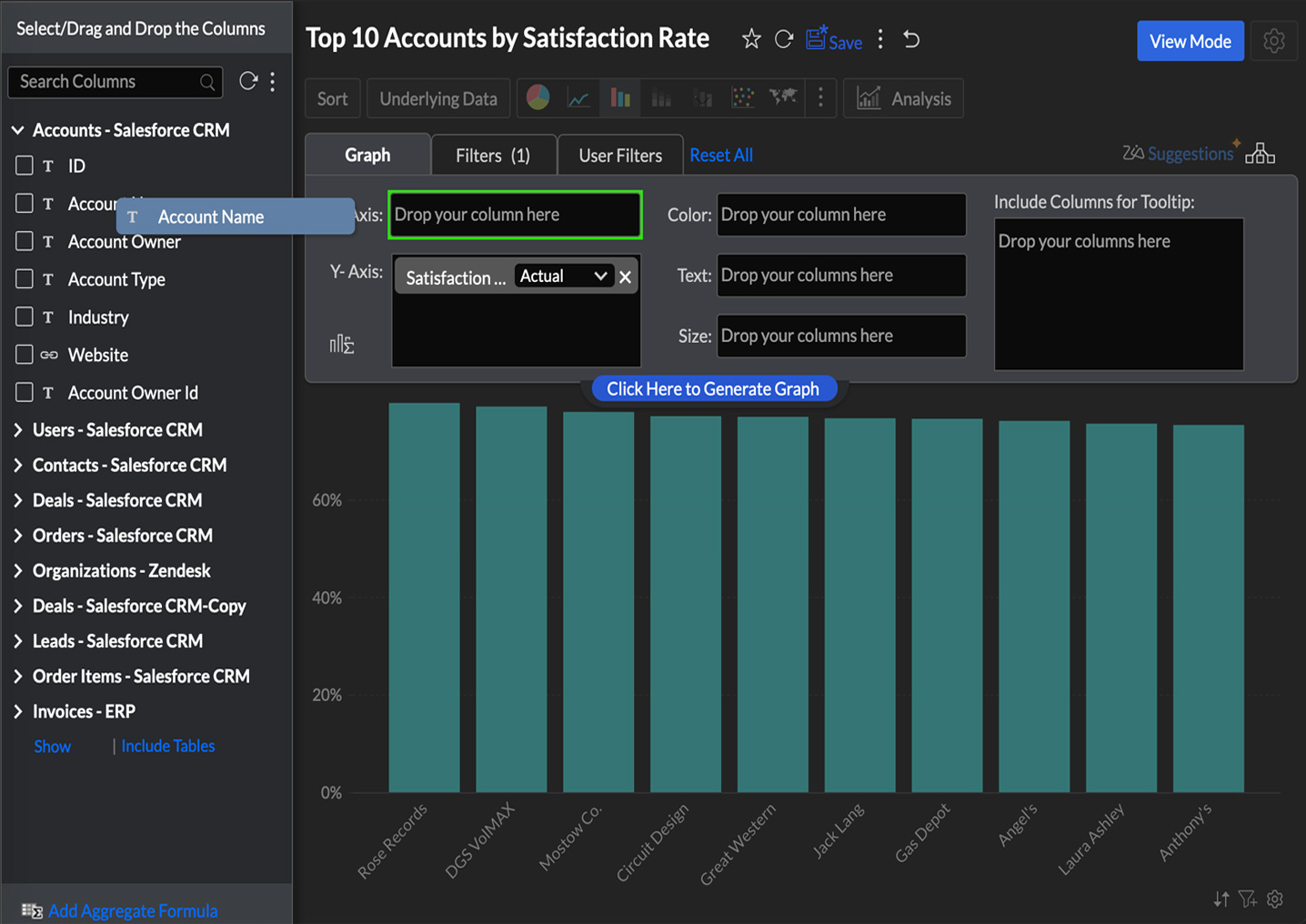
Ease of Use
✅ Intuitive drag-and-drop interface
✅ Create visualizations in minutes
✅ One consistent interface - from data to insights to actions
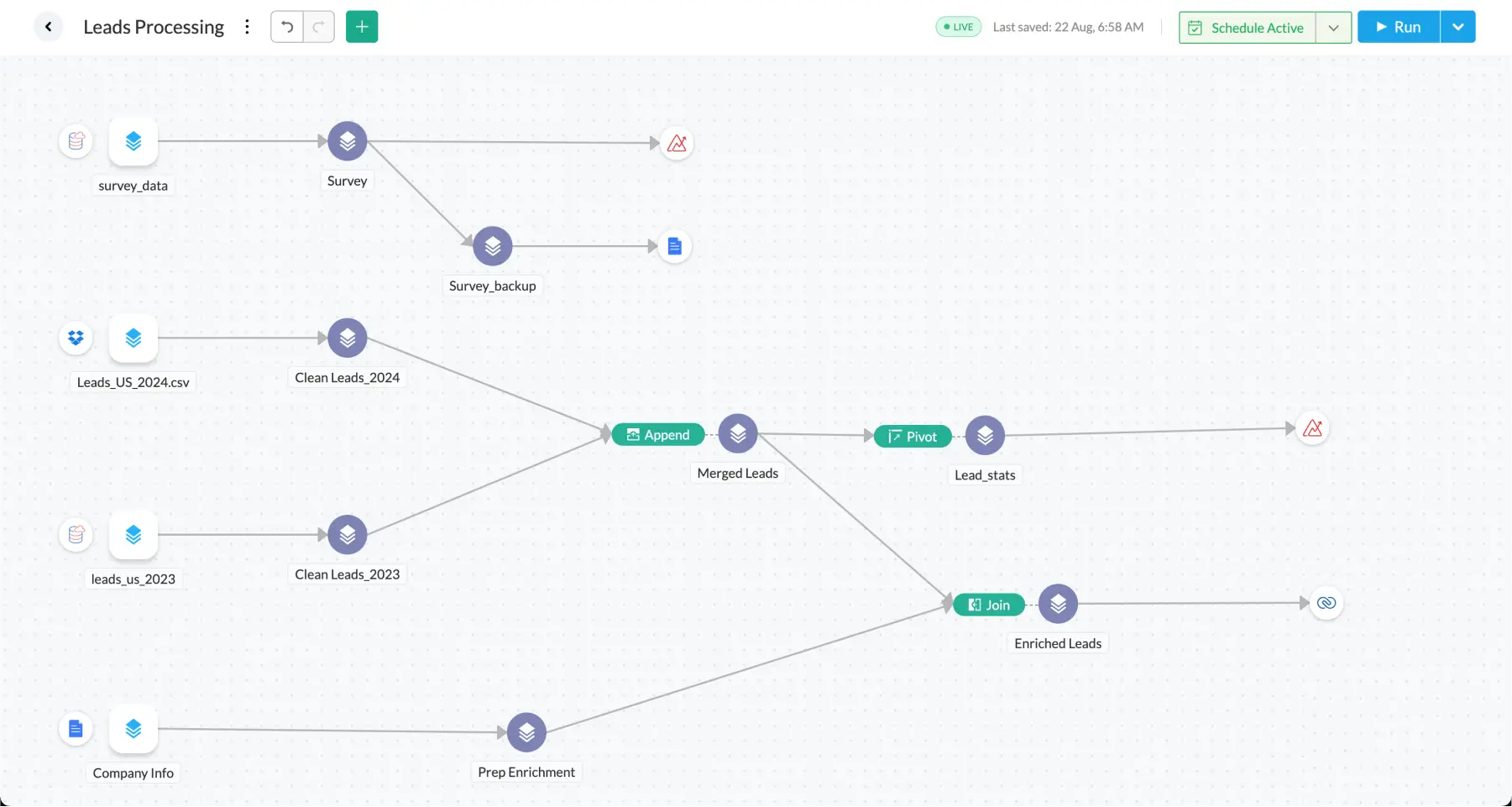
Data preparation and pipeline building tool
✅ Easy pipeline configuration for seamless data integration
✅ Data cleaning, transformation, enrichment, and modeling - no coding required
✅ Centralized metric management for defining and overseeing all key business KPIs
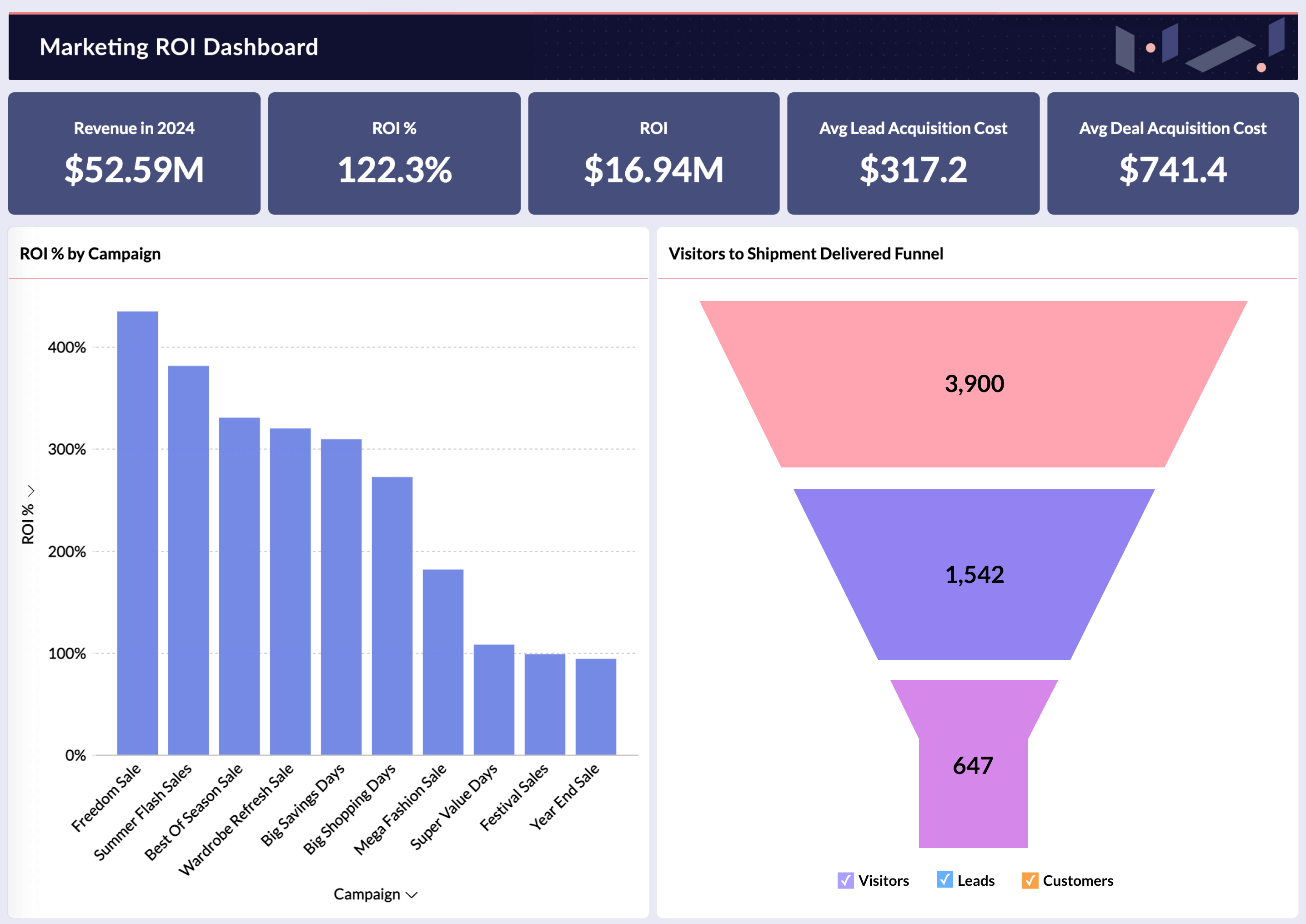
Unified Business Analytics
✅ Ready-to-use integrations with over 100 business applications
✅ Pre-built metrics, reports, and dashboards for specific business areas
✅ Automatic data blending from various business applications, providing a complete, 360-degree view
Price Comparison: Zoho Analytics vs Google Cloud Looker
For 200 users, Zoho Analytics costs $9,216 annually, while Studio Pro costs $21,600 annually. This offers a real saving of 57% vs Studio Pro.
Zoho Analytics vs Google Cloud Looker: Key Feature Comparison
1. Data Integration, Preparation, and Blending
Zoho Analytics offers over 500 native data connectors, including databases and cloud applications, making it easy to quickly connect multiple sources. The platform also has built-in Zoho DataPrep, which allows you to clean, transform, and prepare data without the need for separate tools. Additionally, Zoho Analytics enables automatic data blending from various sources, simplifying analysis and reporting.
Looker provides easy integration with Google Cloud, but has more limited capabilities for sources outside the Google ecosystem. Data preparation usually requires the use of Google Cloud Dataflow or third-party solutions. Data blending often relies on the use of LookML, which can be more complex for non-technical users.
2. Visualization, reporting, and automation
Zoho Analytics offers an intuitive drag-and-drop interface and over 50 visualization types, allowing users to quickly create reports and dashboards. The platform also enables easy setup of recurring reports, alerts, and workflow automation.
Looker allows for the creation of reports and dashboards, however, custom visualizations often require knowledge of LookML. Reporting is more SQL-based, and advanced automation may require the use of Google Cloud Workflows or additional Google Cloud services.
3. AI, predictive analytics, and machine learning
Zoho Analytics utilizes Zia AI for automated insights, natural language queries, and anomaly detection. The platform also features built-in DSML Studio tools, which enable predictive analytics and anomaly detection without the need for coding.
Looker offers basic AI functionalities but does not provide such advanced generative analytics capabilities. It also lacks a built-in DSML Studio – for more advanced analytics and machine learning, it primarily relies on Google Cloud AI tools.
4. Deployment, scalability, and personalization
Zoho Analytics is available in the cloud, on-premise, and as an embedded solution. The platform scales for businesses of all sizes, supporting both smaller teams and larger organizations. It also allows for full customization of reports and dashboards to specific business needs.
Looker operates exclusively in the cloud and requires Google Cloud infrastructure. It is scalable, however, enterprise-level scaling typically involves the use of extensive Google Cloud infrastructure. Customization is possible, but heavily depends on knowledge of LookML.
5. Collaboration, global presence, compliance, and security
Zoho Analytics supports real-time sharing, role-based access, and version control. The platform has a strong global presence, data centers worldwide, and complies with standards such as ISO/IEC 27001, 27017, 27018, SOC 2 Type 2, GDPR, and HIPAA.
Looker offers robust collaboration features, though their utilization often requires more technical expertise. It also provides strong compliance, primarily within the Google Cloud ecosystem, including ISO 27001, SOC Type 2, HIPAA, and GDPR.
Summary
Zoho Analytics is a versatile alternative, especially for companies looking to quickly connect data from multiple sources, create clear dashboards, and automate reporting without excessive reliance on technical teams. With over 500 native connectors, built-in Zoho DataPrep, a drag-and-drop interface, and Zia AI capabilities, the platform allows users to transition from raw data to actionable insights within a single environment.
Zoho Analytics offers greater flexibility to business users who need to independently analyze data, build reports, and manage KPIs without primarily working in LookML or the Google Cloud ecosystem. This solution is suitable for companies that are just developing their business analytics capabilities, as well as organizations looking for a more accessible, scalable, and comprehensive BI platform.
Do you want to replace Google solutions with more advanced analytics from Zoho?
We'll show you how to leverage Zoho Analytics to automate analyses, monitor KPIs, and make better business decisions. We will implement Zoho Analytics, connect data from various sources, streamline reporting, and create dashboards tailored to your team's needs. Contact us to improve data operations in your company.