
Zoho Inventory has received another series of updates that expand the system's capabilities in inventory management, warehousing, purchasing, sales, taxes, reporting, and mobile operations. The changes include, among others, default inventory valuation methods, location-dependent price lists, purchase returns, partial stock replenishment, synchronization with sales channels, new reporting features, and improvements in mobile applications for Android and iOS.
What does this mean for businesses?
The Zoho Inventory updates are primarily designed to simplify the daily work of companies managing a larger number of products, warehouses, sales channels, and logistics processes. The system allows for better cost control, faster order fulfillment, and reduced manual operations that often lead to errors.
For retail and manufacturing companies, changes related to inventory valuation, automatic batch assignment, partial replenishments, and purchase returns will be particularly important. For sales and e-commerce teams, improvements in integrations with Shopify and other sales channels may be significant.
It's also worth noting the development of the Zoho Inventory mobile application. New features such as Tap to Pay, custom field support, operational statuses, and improvements in order picking can accelerate the work of warehouse and sales teams outside the office.
Details below.
Zoho Inventory Q2 2026 - What's New?
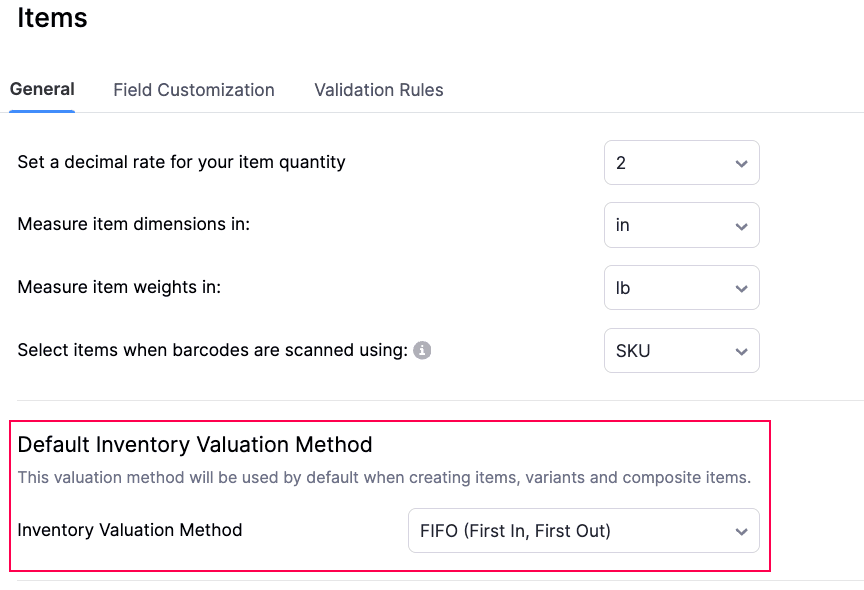
Default Inventory Valuation Method
Zoho Inventory now allows you to set a default inventory valuation method for new products. FIFO and WAC are available options. Once configured, the selected method will be automatically applied when creating new items. This helps maintain consistency in inventory and accounting data, especially for companies that regularly add new products to the system. The default valuation method will also be applied when products are imported without specifying a valuation method or created via API without providing the appropriate field.
Location-Dependent Price Lists
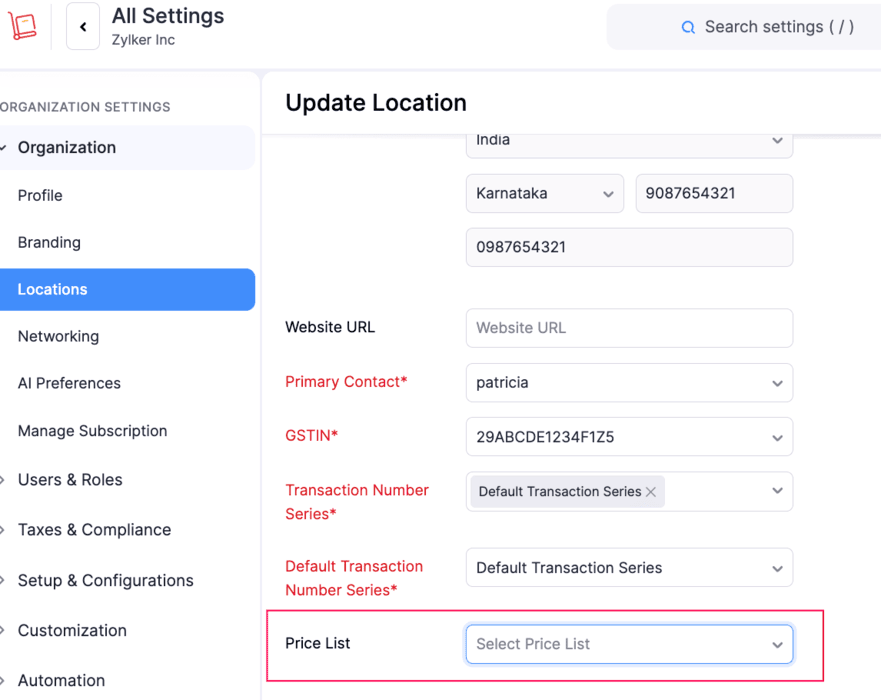
Zoho Inventory is expanding its price list management. Similar to customers, price lists can now be assigned to business locations. In practice, this means greater flexibility for sales conducted from different branches, warehouses, or markets. If a customer has their own price list assigned, the system will apply it automatically. If not, Zoho Inventory can use the price list associated with the selected location. This is useful for companies that apply different prices depending on the country, region, point of sale, or distribution channel.
Product Alias in Item List
The "Alias Name" column now appears in the product list. When enabled, you can display alternative product names directly in the list view. This is a minor but practical change. It simplifies work for companies that use technical names, abbreviations, trade names, or different designations for the same product depending on the supplier, customer, or sales channel.
Purchase Returns to Vendors
One of the more significant new features is the Purchase Returns module. This function allows for more efficient management of goods returned to vendors. From a purchase return, you can initiate the return, reserve stock for shipment, update inventory levels, and adjust liabilities to the vendor. Once the return is approved, it's possible to create picking lists, packages, shipments, and vendor credit notes. This feature is particularly important for companies that regularly handle complaints, returns of damaged products, or delivery adjustments. It's worth noting that this feature is available in Global editions for Enterprise plans. In existing organizations, it may require activation by Zoho support.
Filtering Items by Warehouse in Purchase Receipts
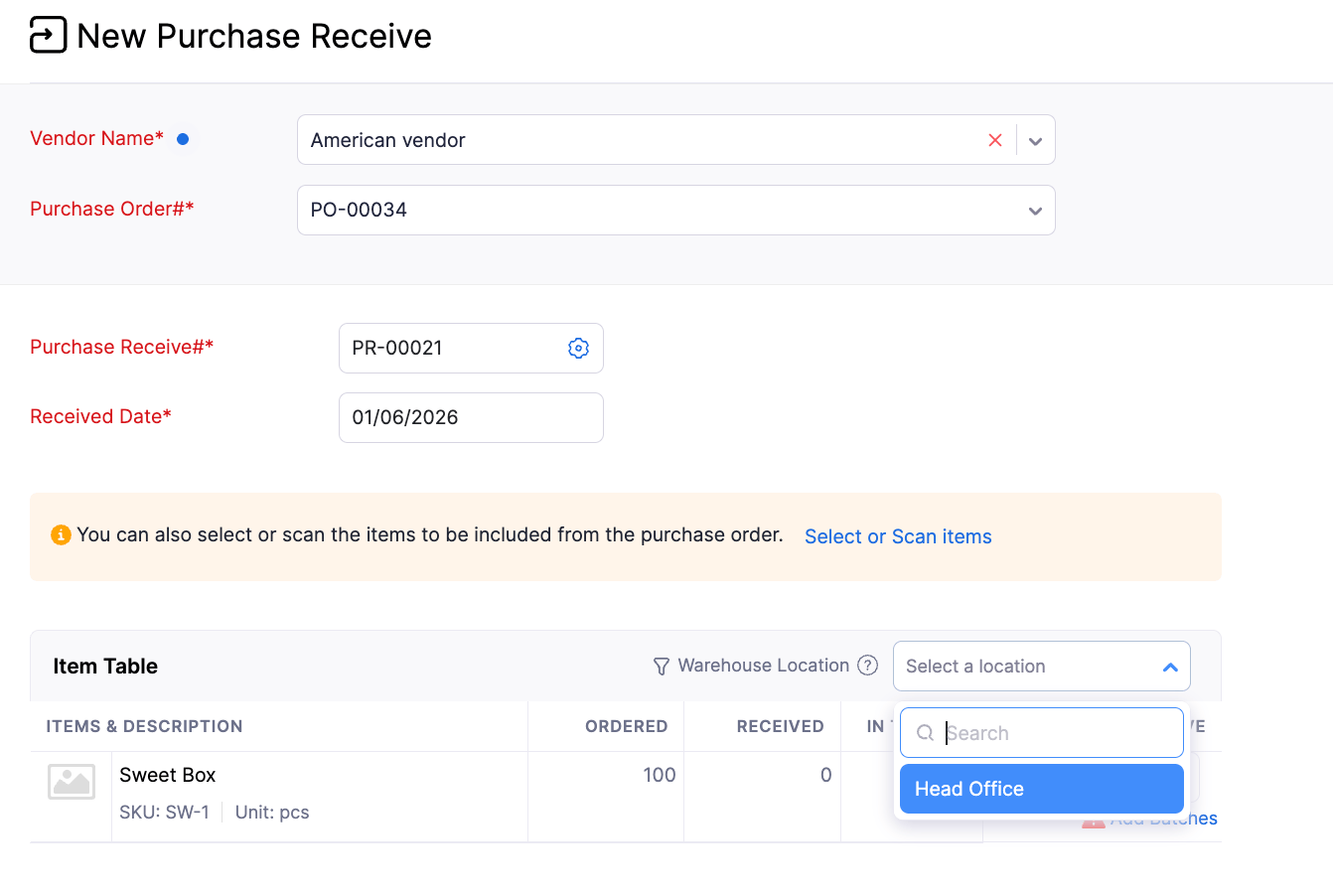
Zoho Inventory also streamlines the purchase receipt process. When creating a receipt based on a purchase order, you can now filter items by warehouse location. If a single order includes products assigned to multiple warehouses within a given location, the user can more easily view only those items relevant to a specific warehouse. There's no need to manually review the entire order or remove unnecessary items from the view. This speeds up the work of warehouse teams and reduces the risk of errors when receiving goods.
Partial Stock Replenishments
The Replenishments module now supports partial replenishments. If a stock replenishment task does not cover the entire required demand, the system will automatically create a new task for the remaining quantity. The new task retains the data of the original replenishment and shows how much has already been fulfilled. This is particularly useful when a company applies Maximum Order Quantity limits or when a supplier cannot deliver the entire quantity at once.
New Invoice Details View
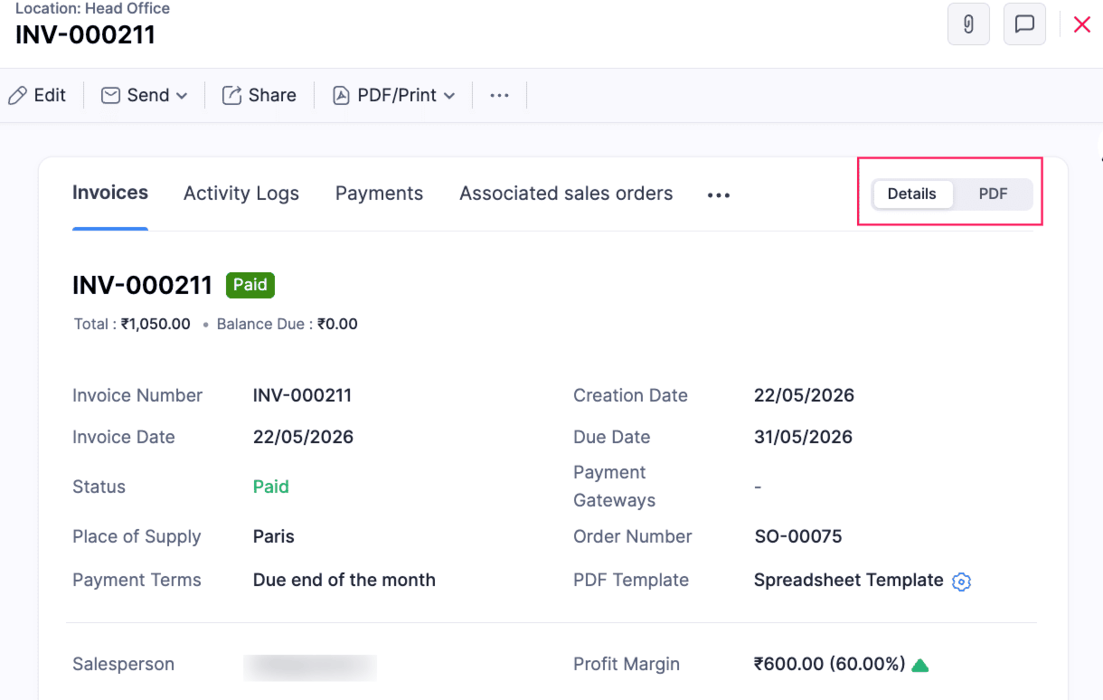
The invoice details page has been redesigned. By default, it now opens in a non-PDF view, and related transactions are organized into separate tabs. The new view displays invoice data, customer information, custom fields, line items, email confirmations, and transaction-level reporting tags, among other things. This update is currently available for the France edition and new organizations. It will be rolled out gradually to existing organizations.
Synchronization of order and invoice numbers from sales channels
Zoho Inventory introduces new configuration options for sales channels. Users can decide whether sales order and invoice numbers should be synchronized from external sales channels. When synchronization is enabled, the order or invoice will retain the number from the sales channel instead of using Zoho Inventory's automatic numbering. This is important for e-commerce businesses that want to maintain numbering consistency across their online store, marketplace, and inventory management system.
Synchronization of sales returns with Shopify
The Shopify integration now supports sales return synchronization across all Zoho Inventory editions. When this option is enabled, returns and their associated inventory updates are automatically synchronized with Zoho Inventory. This allows businesses to reduce manual data entry, better control inventory levels, and more efficiently manage returns between their Shopify store and Zoho.
New reporting capabilities
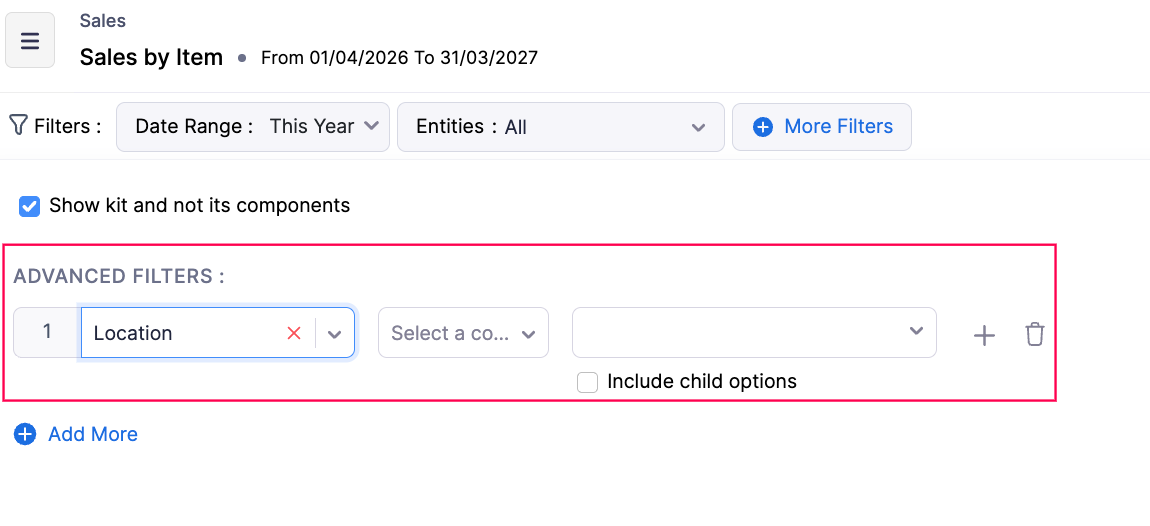
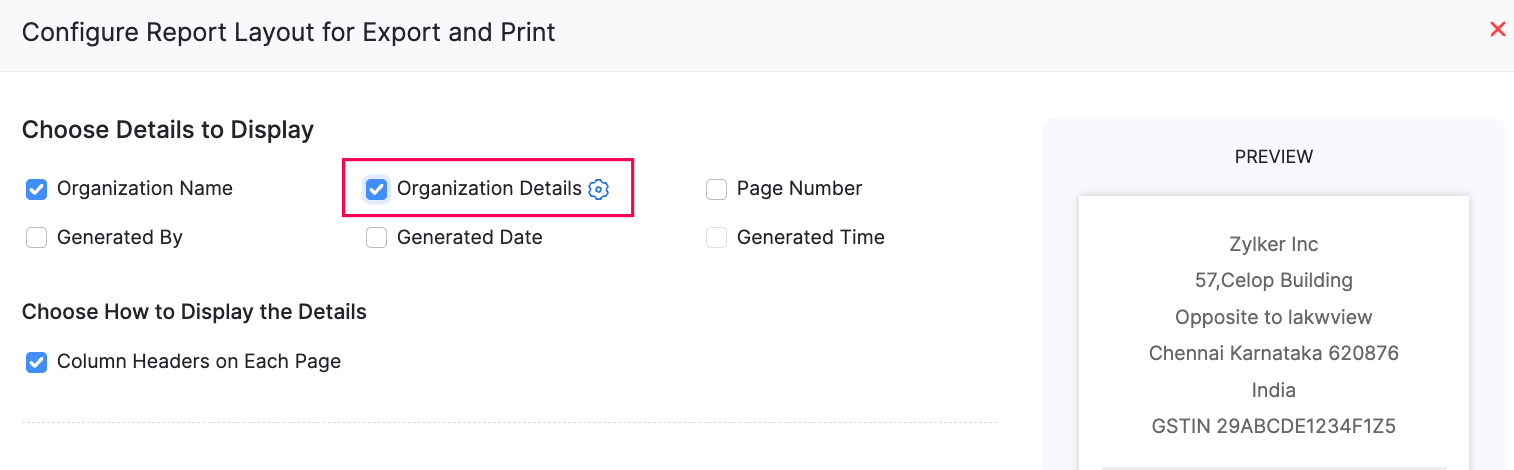
Zoho Inventory is also enhancing its reports and analytics. In advanced report filters, you can now use the "Include Child Options" feature for reporting tags. When a parent option is selected, the system will automatically include all related child options. This simplifies data analysis for companies that use hierarchical reporting tags. Report exports can now include organization data. Simply enable the appropriate option in the report layout configuration before exporting.
Permissions for custom reports have also been expanded. Administrators can now view, edit, clone, and delete all custom reports within the organization, including those created by other users. They can also filter reports by date range without changing report preferences.
Early Access Features
Zoho Inventory is also developing features available through Early Access.
The first is tracking record participants and non-participants. The system automatically identifies users who have performed actions on a given record, such as creating it, editing it, commenting on it, being tagged in a comment, or approving the record. This makes it easier to see who actually participated in the work on a specific transaction or document. The feature covers products, invoices, inventory adjustments, packages, shipments, customers, sales orders, sales returns, vendors, purchase receipts, and vendor credits, among others.
The second feature is automatic batch allocation based on FIFO, FEFO, or LIFO strategies. FIFO means using the oldest available stock first. FEFO prioritizes batches with the nearest expiration date. LIFO uses the most recently received stock first. Automatic batch allocation can be applied to sales orders, invoices, pick lists, and other outgoing transactions. This feature reduces manual batch selection, speeds up order fulfillment, and helps better control inventory rotation.
Additional enhancements
Zoho is also introducing several smaller but practical changes. The Unit of Measurement feature is now enabled by default for all organizations on Premium and Enterprise plans. Items Unified Flow has been made available for all plans. Barcode scanning is available in custom tables. The Packing History report supports showing and hiding columns, advanced filters, custom reports, and exporting the current view. The Profit by Item report has received category filters, and the Batch Details Report has been expanded with additional columns for incoming, outgoing movements, and prices. Bulk update of reporting tags is also available.
Mobile app updates
Zoho Inventory is also developing mobile applications for Android and iOS.
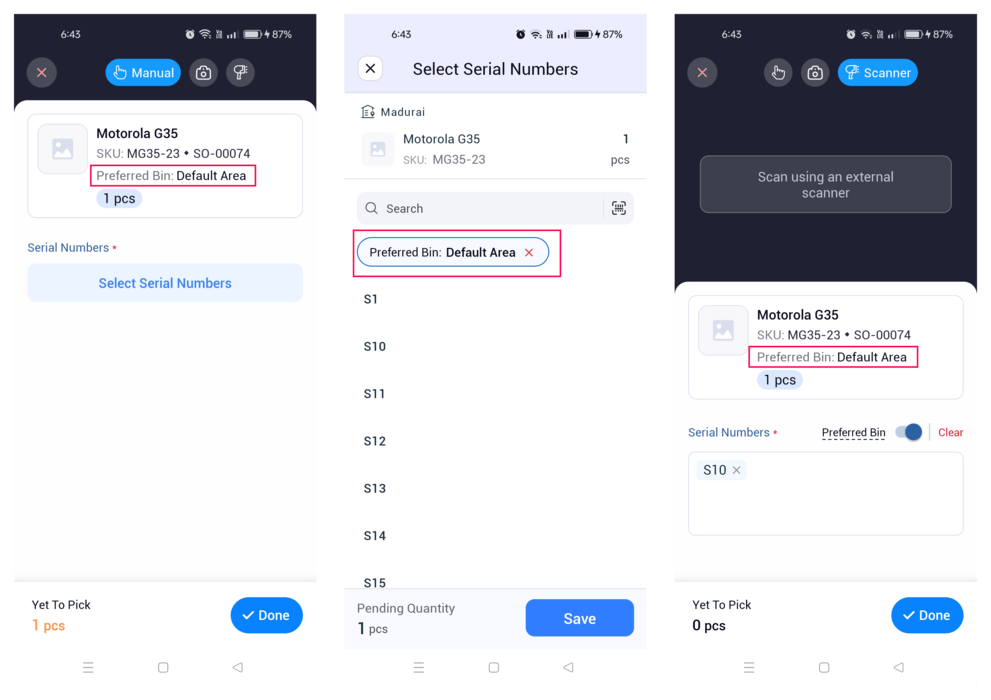
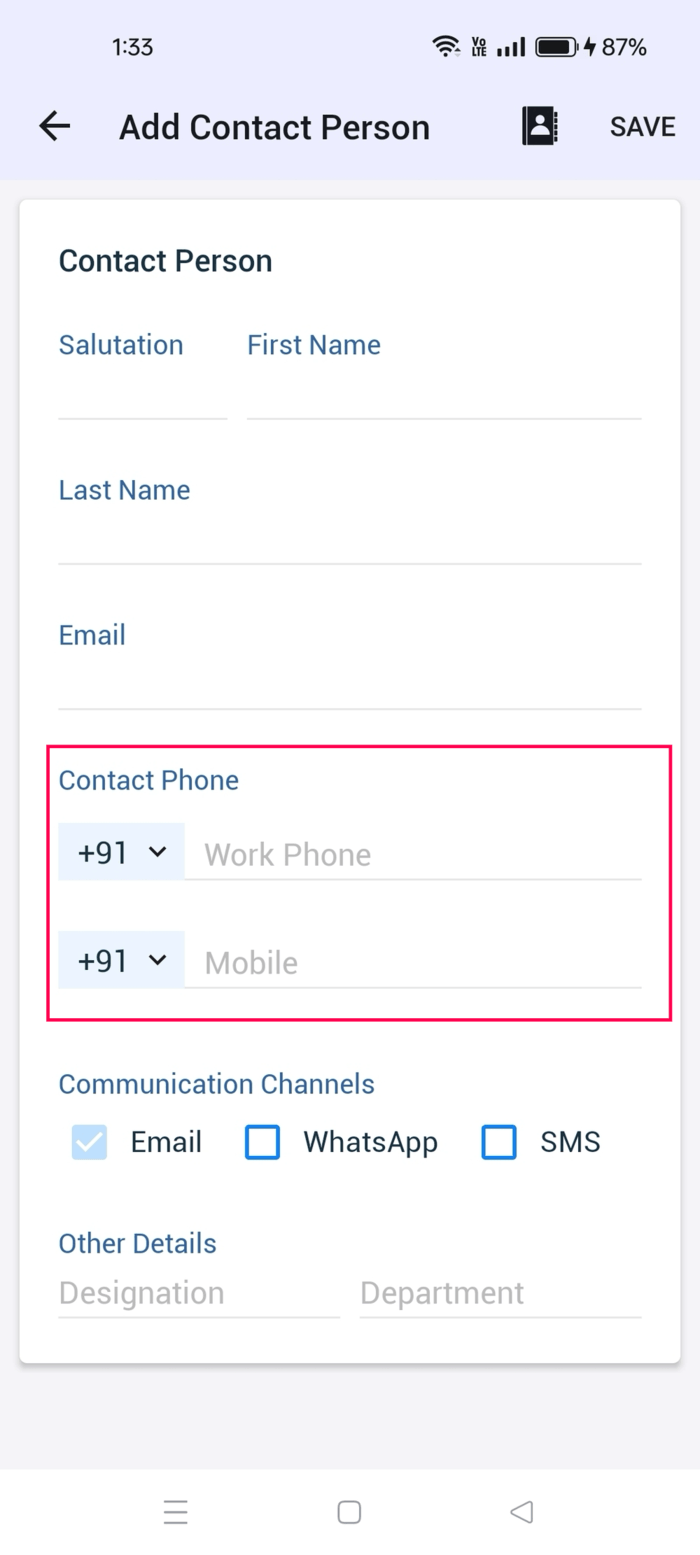
In Picklists, preferred bin locations are now displayed, facilitating faster and more accurate product picking. The sales return status has been changed from "Approved" to "Accepted" to better reflect the process stage. Phone number fields support country code selection. The Assemblies module supports custom fields, and Purchase Receipts and Picklists allow adding custom fields at the item level. Payments Received supports a "Draft" status, allowing payments to be saved as drafts and edited before final approval.
Another important new feature is Tap to Pay. This function is available in Poland, as well as Australia, Austria, Belgium, Denmark, Finland, France, Germany, Ireland, Italy, Malaysia, Netherlands, New Zealand, Singapore, Sweden, Switzerland, and the United Kingdom. It allows accepting contactless payments with cards and digital wallets without additional hardware.
Android updates
The Zoho Inventory Android app has received several additional enhancements. Users can start inventory counts faster, as Stock Counts can be initiated immediately while data loads in the background. Purchase Receipts now support editing and simple approval workflows. Transfer Orders also support simple approvals. Custom fields allow uploading images, and the Customer and Vendor modules support custom buttons. The Custom Modules interface has also been refreshed. Sales Returns support a "Draft" status, and the default inventory valuation method can be set during product creation. In invoices and advance invoices, the document's viewing status by the customer is also visible.
New Features on iOS
The iOS app now supports multi-select lookup custom fields in all modules that support custom fields. The Tap to Pay feature is also available for organizations integrated with Stripe. It allows you to accept payments directly on an iPhone using debit cards, credit cards, Apple Pay, and other digital wallets, without the need for an additional terminal.
Summary
Zoho Inventory updates from April and May 2026 expand the system in many areas simultaneously: from product and warehouse management, through purchases, returns, reports, and taxes, to e-commerce integrations and mobile applications. For companies using Zoho Inventory, this means greater automation, better inventory control, and more efficient sales and warehouse processes. Particularly important features may include inventory valuation, partial stock replenishment, purchase returns, Shopify synchronization, and automatic batch assignment.
If your company uses Zoho Inventory or plans to implement a system for warehouse, sales, and purchase management, we can help analyze available features, streamline processes, and configure the solution according to your team's needs.